最近买了一块便宜的Linux开发板,是基于全志H3芯片的,想从头到尾跑一下开发流程;
Uboot开发
环境搭建
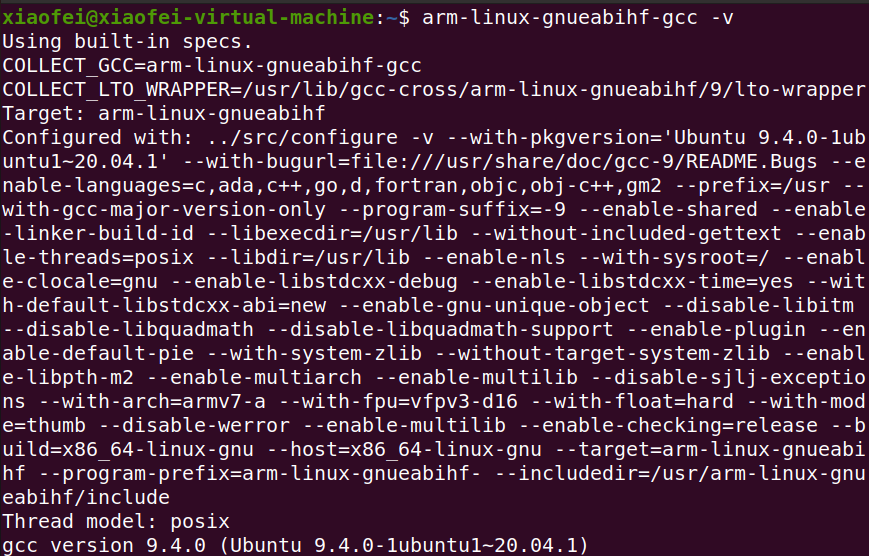
安装好make、arm-linux-gnueabihf-等工具。

Uboot编译
源码下载:https://ftp.denx.de/pub/u-boot/
1 | wget https://ftp.denx.de/pub/u-boot/u-boot-2020.04.tar.bz2 |
选择
u-boot-2020.04.tar.bz2即可;
使用以下命令进行解压操作:
1 | tar -xvf u-boot-2020.04.tar.bz2 |
然后进行编译选项配置:
1 | cd u-boot-2020.04/ |
编译:
1 | make -j4 ARCH=arm CROSS_COMPILE=arm-linux-gnueabihf- V=1 |
Uboot烧录
准备一个micro SD卡(大于8GB);
通过读卡器插入电脑;
安装并打开gparted:
1 | sudo apt install gparted |
按照以下方式修改分区配置:
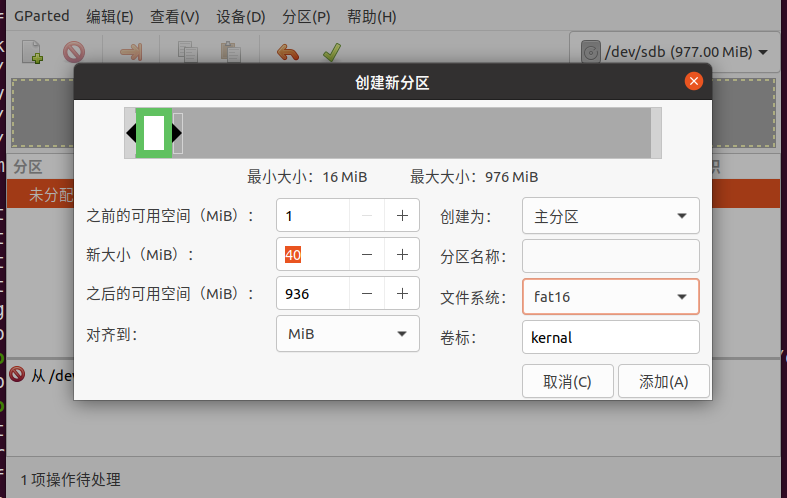
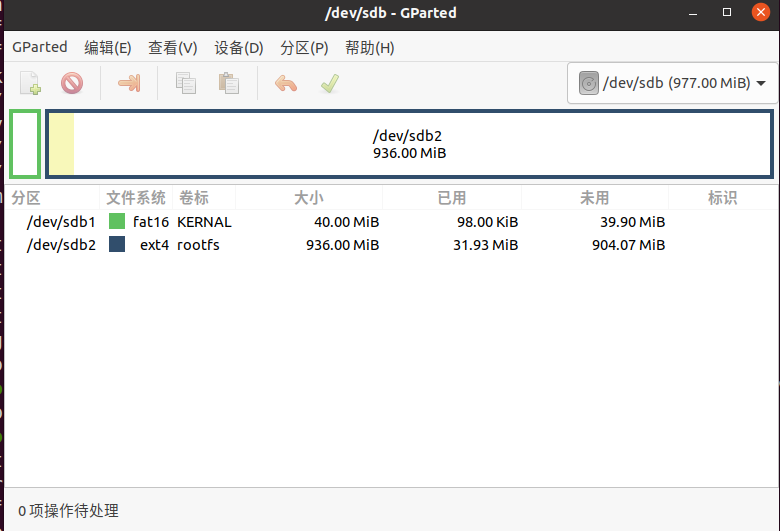
可能会出现
/sdb大小不对的问题,可以先取下读卡器,然后使用sudo rm -rf /dev/sdb即可,然后再次进行分区即可;
使用以下命令进行烧录即可:
1 | sudo dd if=u-boot-sunxi-with-spl.bin of=/dev/sdb bs=1024 seek=8 |

上电测试
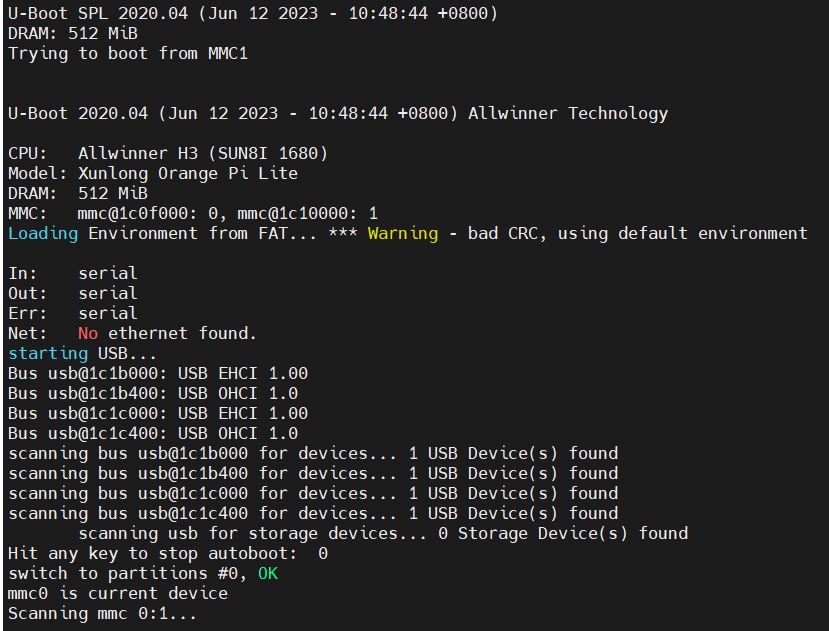
将SD卡插入开发板,给开发板上电,打开调试接口接口看到以下输出:
Linux内核开发
源码下载
1 | git clone --depth 1 --branch orange-pi-5.4 https://ghproxy.com/https://github.com/orangepi-xunlong/linux-orangepi.git |
编译
1 | make sunxi_defconfig ARCH=arm CROSS_COMPILE=arm-linux-gnueabihf- |
生成的设备树和镜像路径:
1 | /arch/arm/boot |
UBoot启动
1 | setenv bootcmd 'load mmc 0:1 0x43000000 sun8i-h3-orangepi-lite.dtb; load mmc 0:1 0x42000000 zImage; bootz 0x42000000 - 0x43000000' |
rootfs
烧写
1 | sudo dd if=/dev/sdb2 of=rootfs.ext2 bs=1M count=512 |